Smart Alarm with Voice Reminders

To-dos,
kindly reminded
by voice

When you add a task with a voice recording, your recorded message plays when the alarm goes off. Not text, but a voice — like someone beside you reminding you.

MeowDo App Preview
8
Languages
Repeat Settings
🎙️
Voice Alarm
Our Mission

Delivering gentle voice
reminders, with care

MeowDo was created for people with ADHD or anyone who struggles with focus. It's not just a simple alarm — it reminds you kindly with your own recorded voice. Like someone by your side, letting you know.

Effective reminders whether you use it alone or together with others.

MeowDo Screenshot

How to Get Started

Three simple steps to a world of gentle reminders

1

Install the App

Download MeowDo for free from the App Store or Google Play.

2

Add a Task

Enter your to-do and tap the 🎙️ button to record your voice.

3

Receive Reminders

At the scheduled time, your alarm will play your recorded message.

Key Features

Just the essentials for managing your daily life.

🎙️

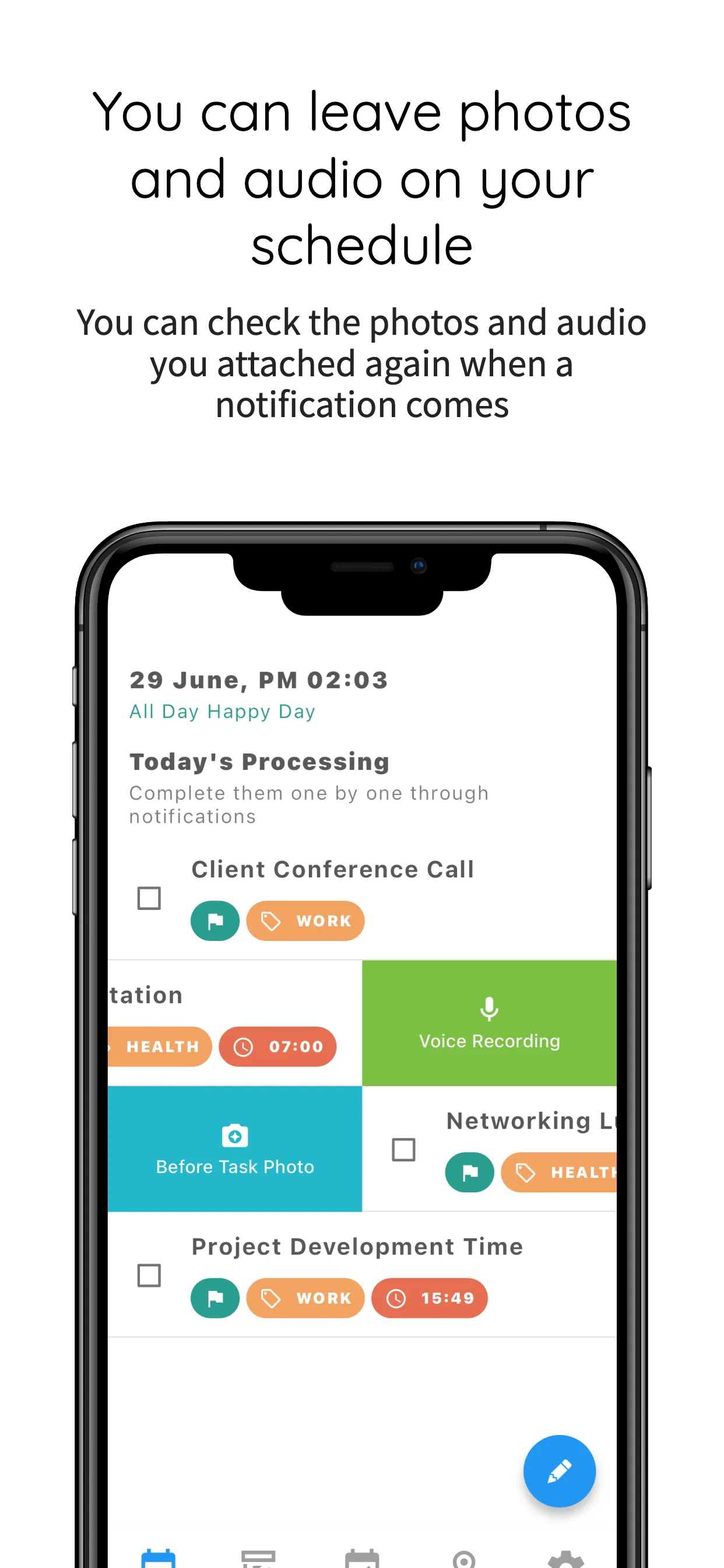
Voice Recording Alarm

Record a voice message with your task and hear it play when the alarm goes off.

👥

Community Habits

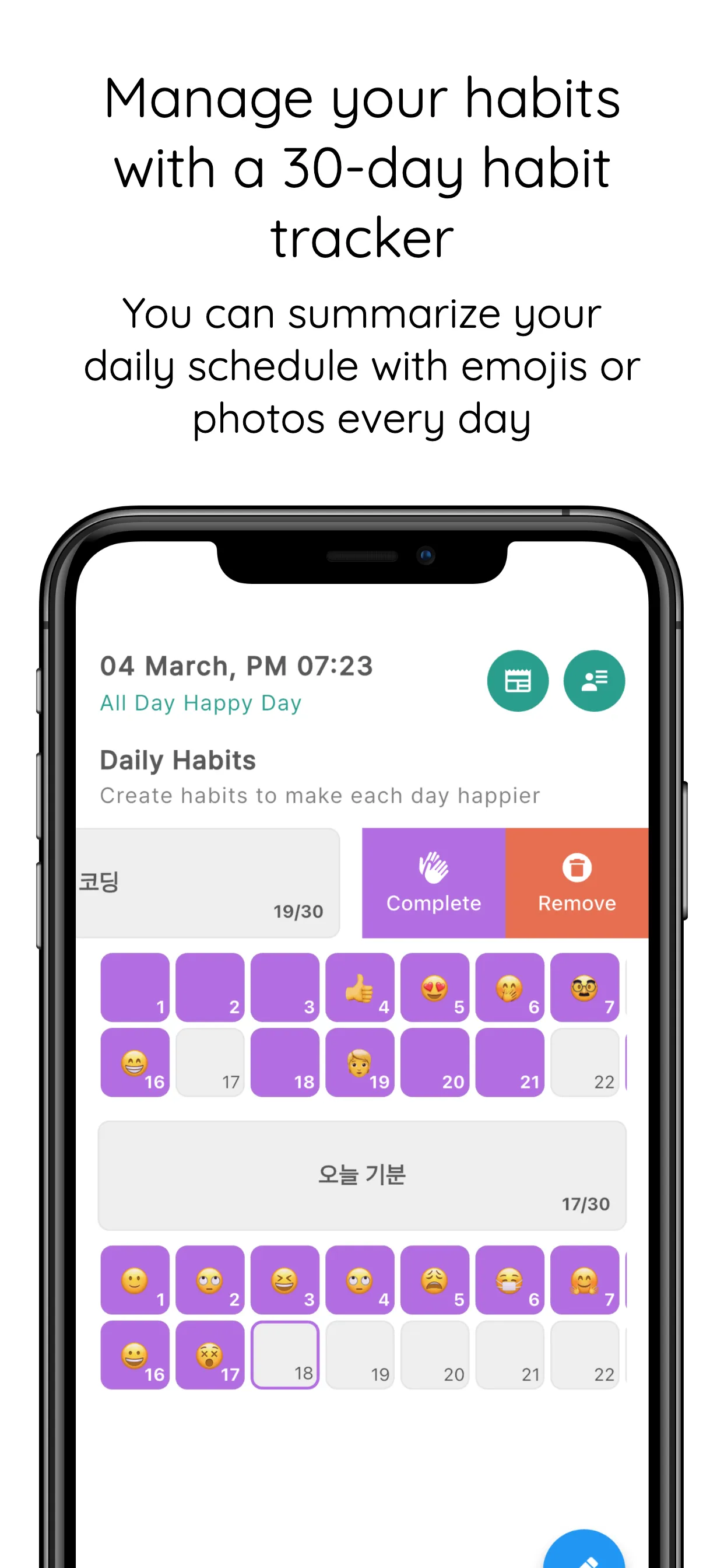
Build habits together with other MeowDo users and encourage each other.

🔄

Monthly / Weekly Repeat

Set tasks to repeat on specific days of the week or specific dates of the month.

📅

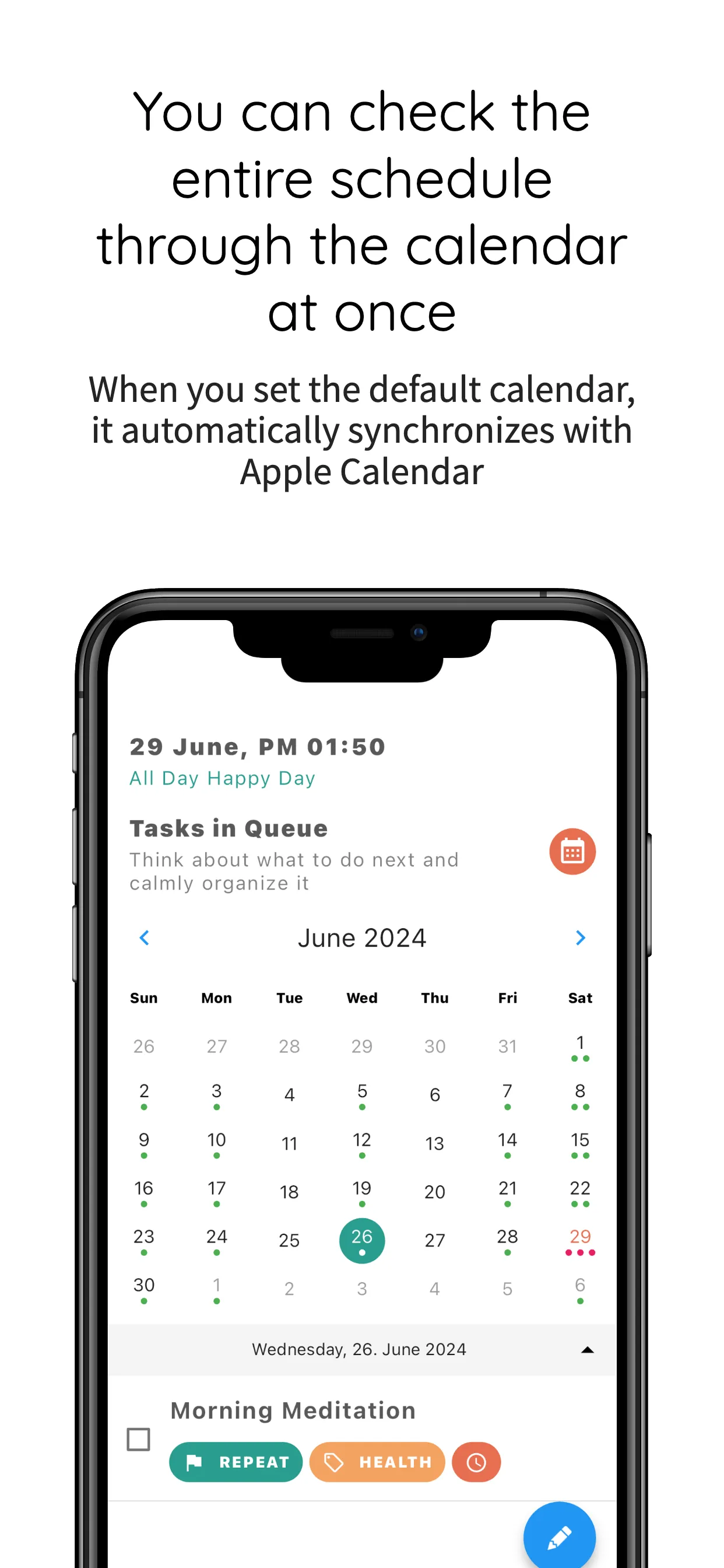
Calendar View

See all your tasks at a glance by date and manage them directly from the calendar.

📝

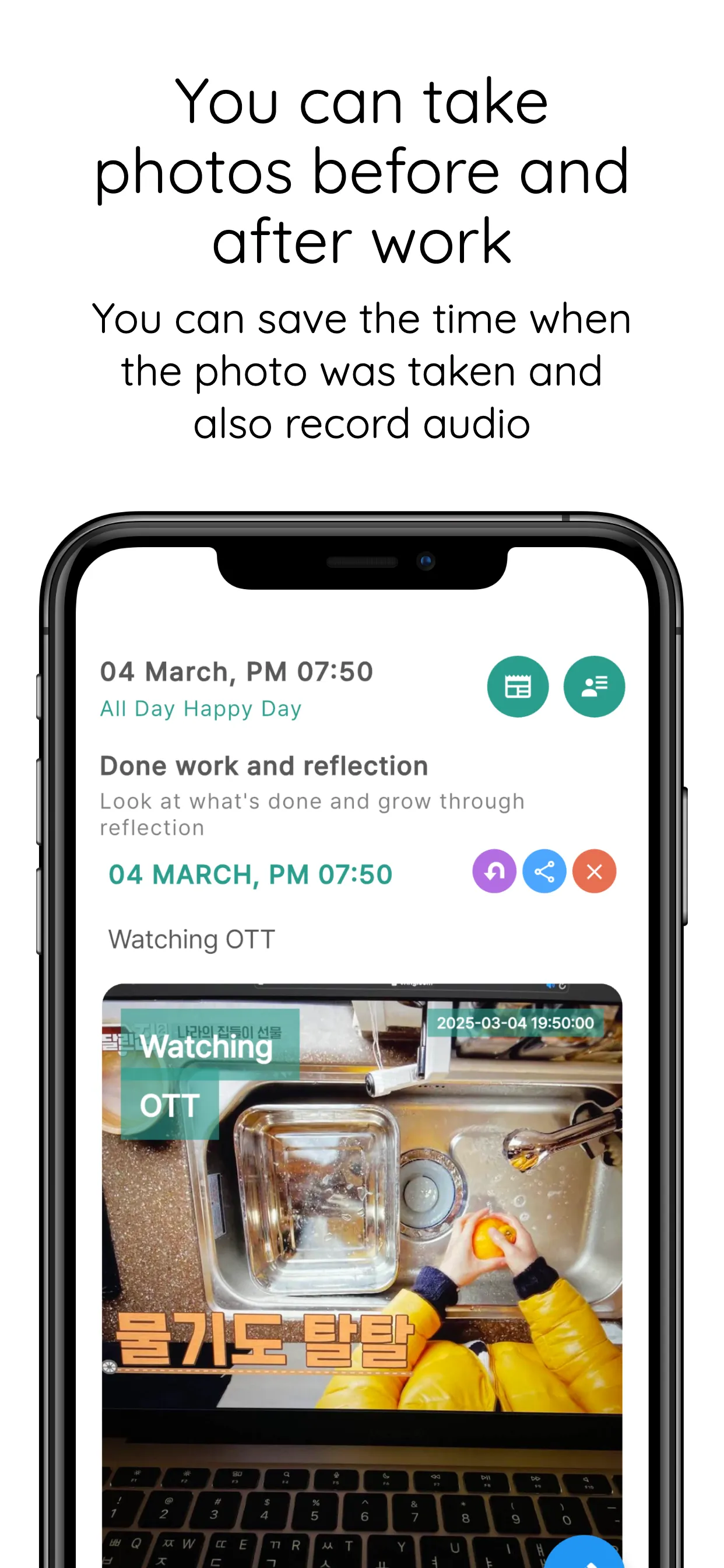
Journal & Review

Write reviews and journal entries before or after tasks to capture the meaning of your daily life.

📱

Device Calendar Sync

Sync with your iOS or Android device's native calendar to see all schedules in one place.

What MeowDo Promises

Memory, not just text
Your recorded message plays when the alarm goes off
Habits built together
Community habits to cheer each other on
Reminders that don't forget
Set it once and it repeats automatically
Reminders right on time
Precise alarms at the exact scheduled time
MeowDo Screenshot

Screenshots

Explore the various features of MeowDo

Alarm Settings
Voice Recording
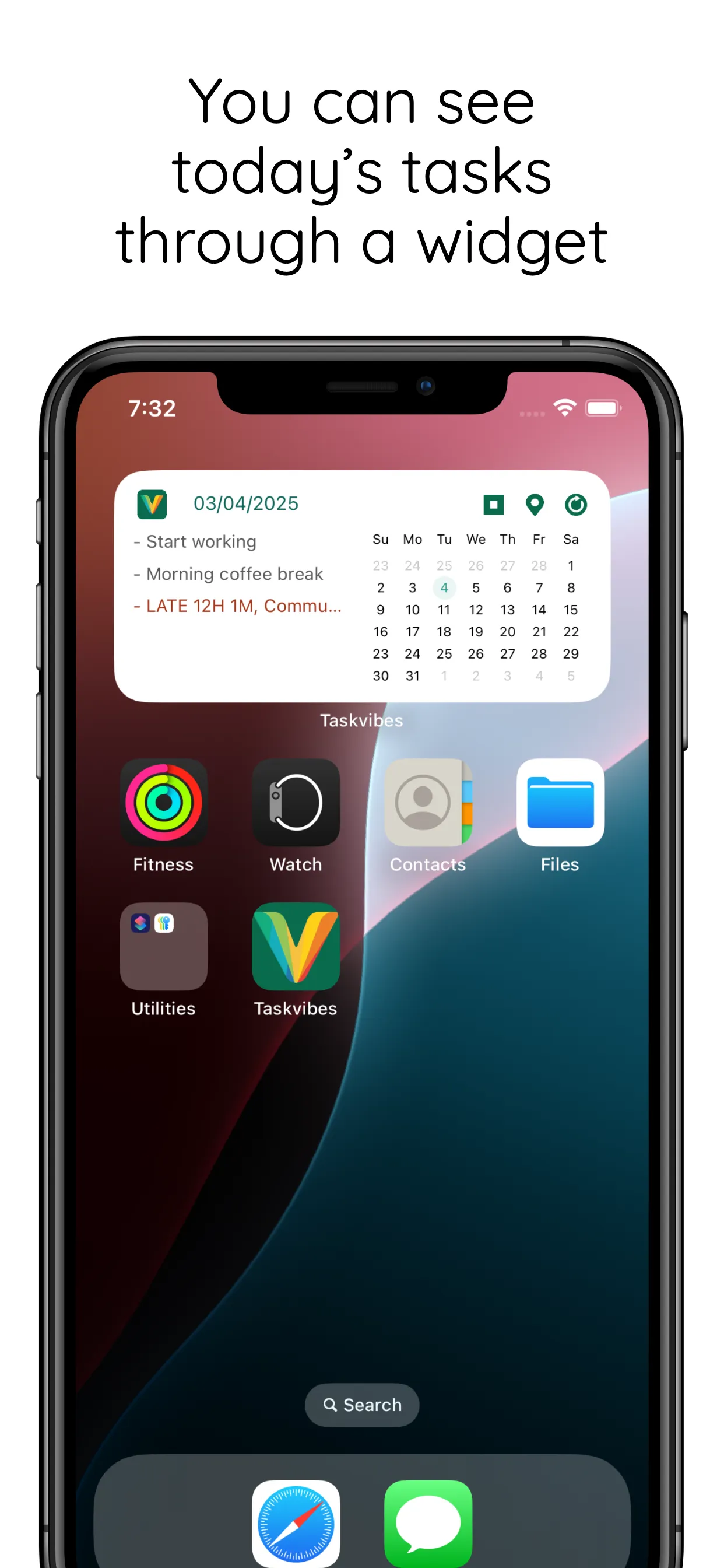
Detail View
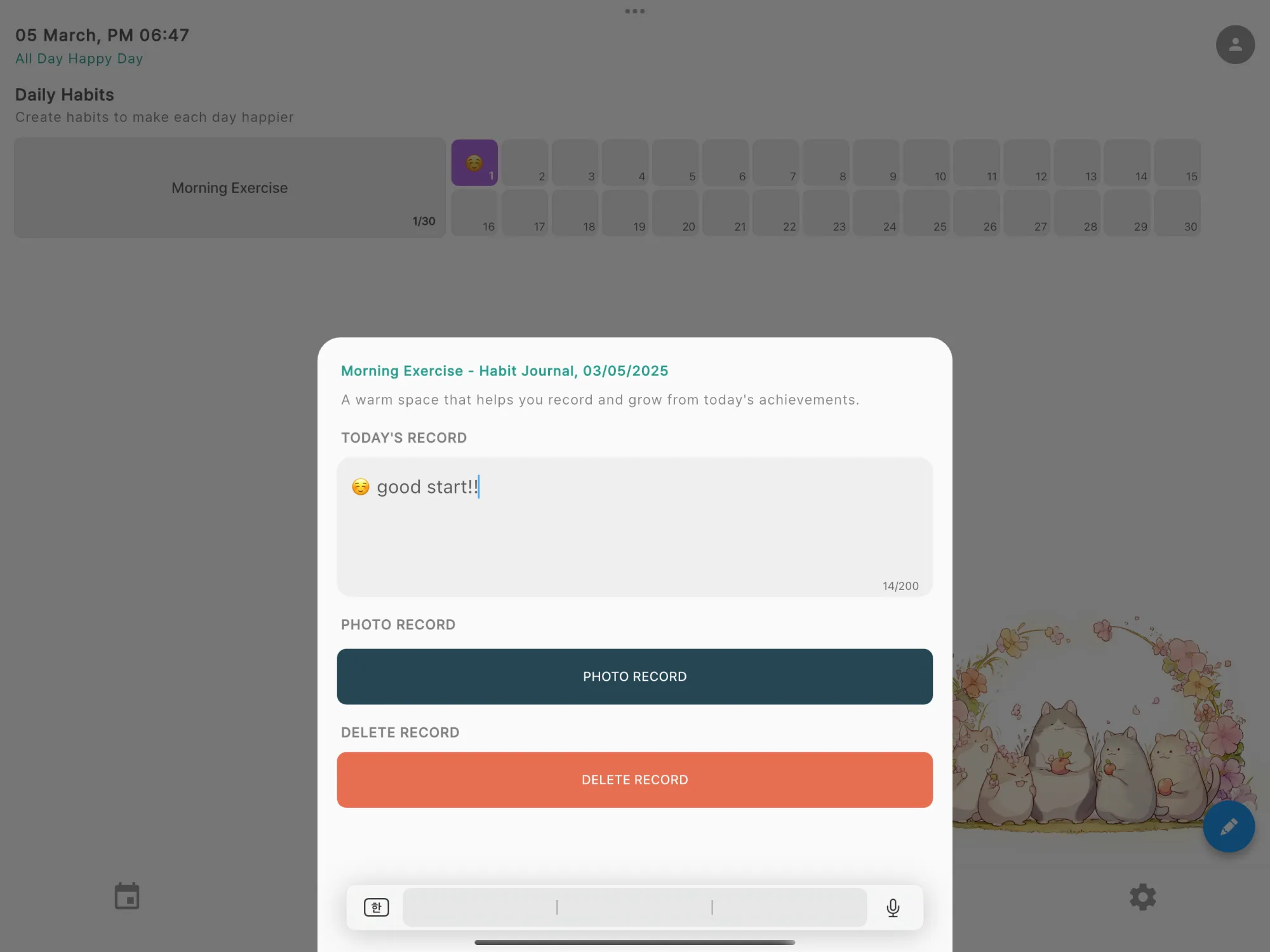
Journal
Habit Tracker
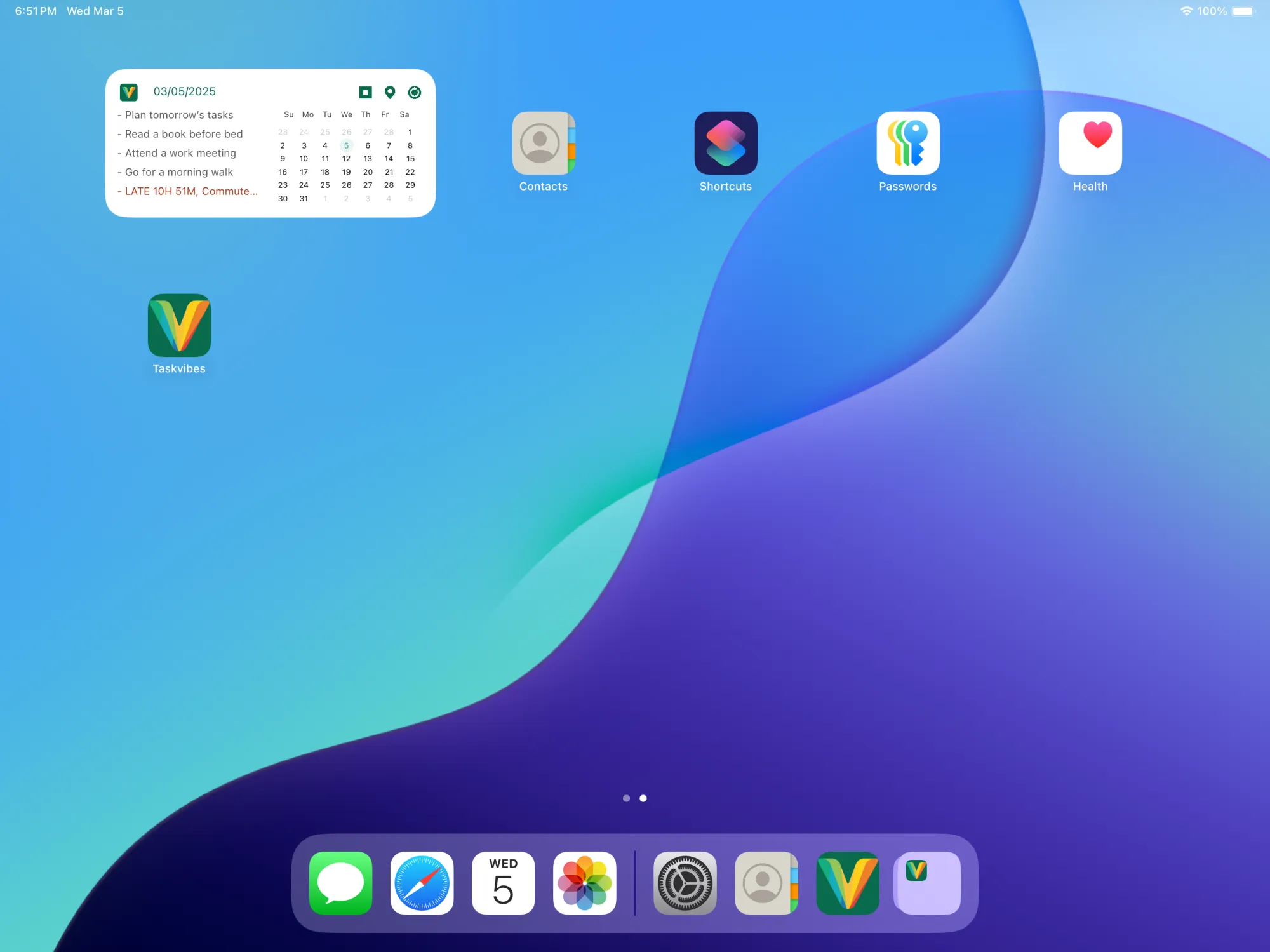
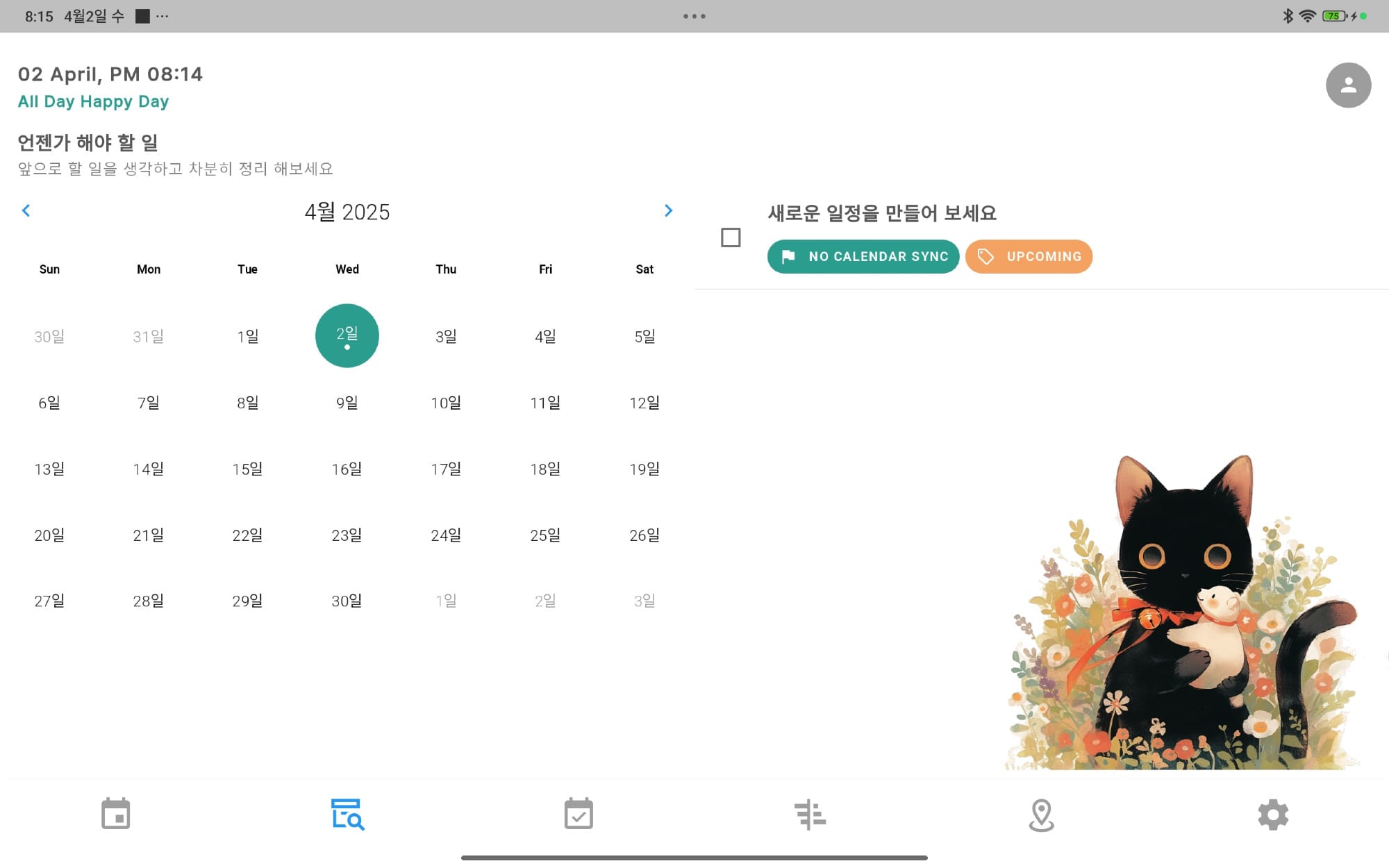
Calendar View
Task List
Community

Tutorial

Check out more tutorials on YouTube

Frequently Asked Questions

How does voice recording work? +
When adding a task, tap the voice recording button to record a short message. When the alarm goes off, your recorded voice plays automatically to remind you kindly.
What are Community Habits? +
Community Habits are public habits you can join with other MeowDo users. Connect with people who share the same goals and get motivated by encouraging each other.
What repeat settings are available? +
You can set tasks to repeat on specific days of the week (e.g., Mon/Wed/Fri) or on specific dates of the month (e.g., 1st, 15th).
Does it sync with my device calendar? +
Yes, it integrates with your iOS or Android device's native calendar, allowing you to view all your schedules in one place.
What languages are supported? +
MeowDo supports 8 languages: English, Korean, Japanese, Chinese, Spanish, Portuguese, Italian, and Dutch.

We'd love to hear your thoughts

MeowDo grows a little more with each voice from our users.
If you encounter any inconvenience or have feature suggestions, please let us know anytime.

Write to the Team

Get Started Today

Download for free and enter the world of gentle alarms